For Social Security, pensions & other set income
Know you're covered until the next deposit.
Between Deposits is a plain-English kit for budgeting on a fixed income. Write your money forward, see your lowest point weeks before it happens, and know what's truly yours to spend.
- One-time $24 USD
- Instant download
- Excel, Google Sheets, Numbers or paper
- No bank login
- 30-day refund
| Date | What | Amount | Balance |
|---|---|---|---|
| Jan 12 | Electric | −$88.00 | $748.06 |
| Jan 15 | Drug plan premium | −$31.50 | $716.56 |
| Jan 17 | Groceries & everyday | −$150.00 | $566.56 |
| Jan 18 | Phone & internet | −$79.99 | $486.57 |
| Jan 21 | Credit card | −$96.20 | $390.37 |
| Jan 22 | Car insurance | −$96.00 | $294.37 |
| Jan 24 | Groceries & everyday | −$150.00 | $144.37 |
| Jan 27 | Social Security | +$1,846.00 | $1,990.37 |
Lowest point, three days before Social Security arrives — and $155.63 below her $300 cushion.
Why budgets on a fixed income go wrong
The month adds up. The dates don't.
Social Security on the 4th Wednesday. Rent on the 1st. Most months the next deposit comes four weeks later, but four times a year it comes after five, and those weeks still have bills and groceries. A monthly budget can't see that. A dated one can.
Money in, minus bills, set-asides and everyday spending. On paper, she's fine.
That's $155.63 below the $300 cushion she likes to keep, at the end of a five-week stretch between deposits.
Carol is an illustrative example, not a real customer. Her figures are made up but realistic, and every number on this page was calculated by the Planner included in the kit.
How it works
Three kinds of spending. Two numbers.
The kit sorts everything you spend into three kinds, lays it out by date, and gives you two numbers that answer the questions on your mind.
Bills with dates
Rent, utilities, premiums, phone. Each goes on your list with the day it really leaves your account.
Set-asides
Property tax, yearly insurance, holidays, glasses, repairs. A small monthly amount, so big bills arrive already covered.
Everyday allowance
Groceries, gas, pharmacy, lunch with a friend. One weekly amount, and one number to watch: what's left this week.
Your lowest point
The lowest your balance will go in the next 60 days, and the date. It answers “Will I have enough for what's coming?”
Your room to spare
How far your lowest point sits above the cushion you like to keep. It's the most you could spend once, today, without worry.
lowest point − cushion = room to spare
The tool behind it is one you already know: a checkbook register, written ahead. The Planner writes it for you. On paper, it takes about ten minutes a week.
Try it now
Find your lowest point
This is a small version of the Planner, filled in with a simplified version of Carol's deposits and bills. Change them to yours and see what the next 60 days look like, starting today.
What you get
Everything you need, nothing you don't.
Five files, made to work together. The pictures below are the real thing.
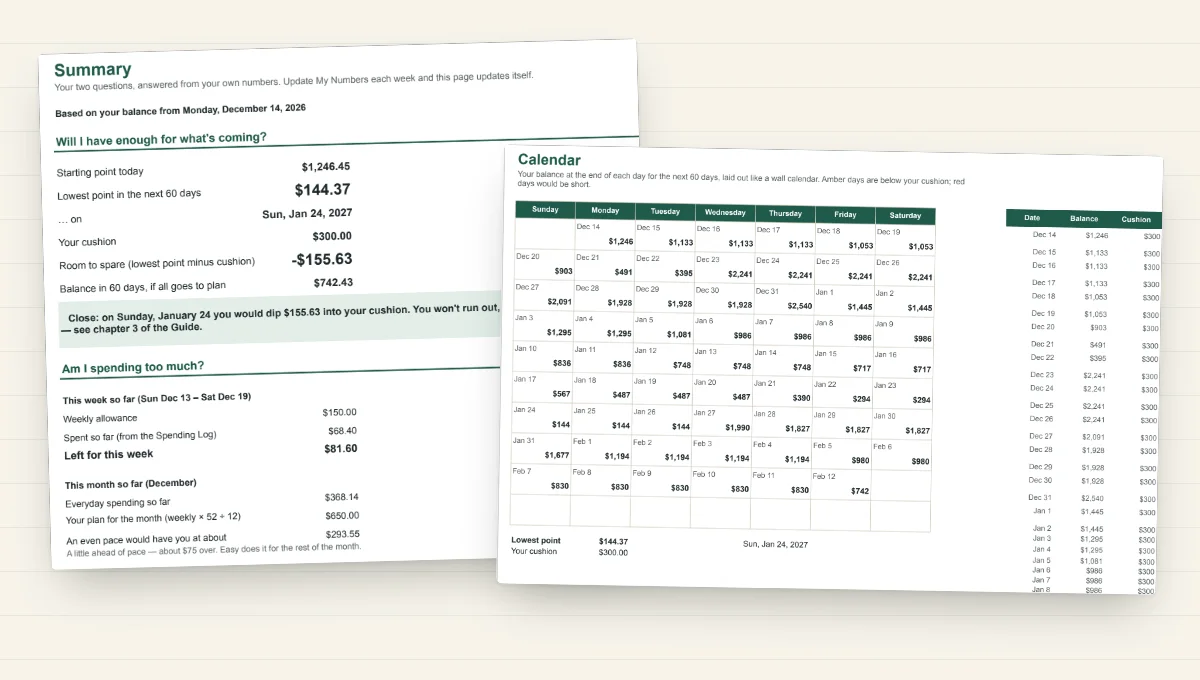
The Planner
Type your numbers into the cream-colored cells and it does the rest: your Forward Register, a wall-calendar view of every day's balance, your lowest point and room to spare, your set-aside amounts, and how this week's spending is going.
- Works in Excel, Google Sheets, Apple Numbers and LibreOffice
- Handles Social Security Wednesdays, weekends and bank holidays
- Two copies: yours, and a filled-in example to explore
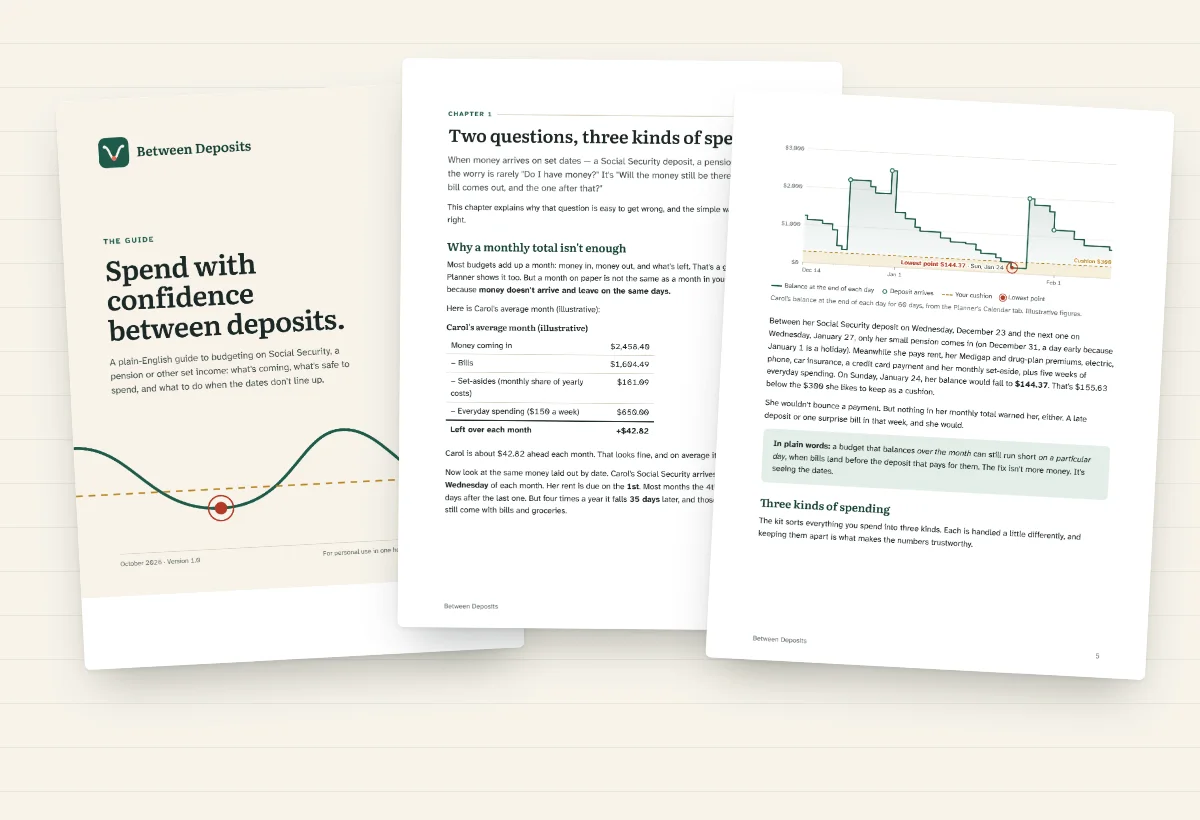
The Guide
Nine short chapters in plain English, following one illustrative household from first sitting to "Can I afford it?"
- Your first sitting, step by step
- What to do if your numbers look tight
- Set-asides, the weekly allowance and credit cards without confusion
- When life changes, and where to find free, unbiased help
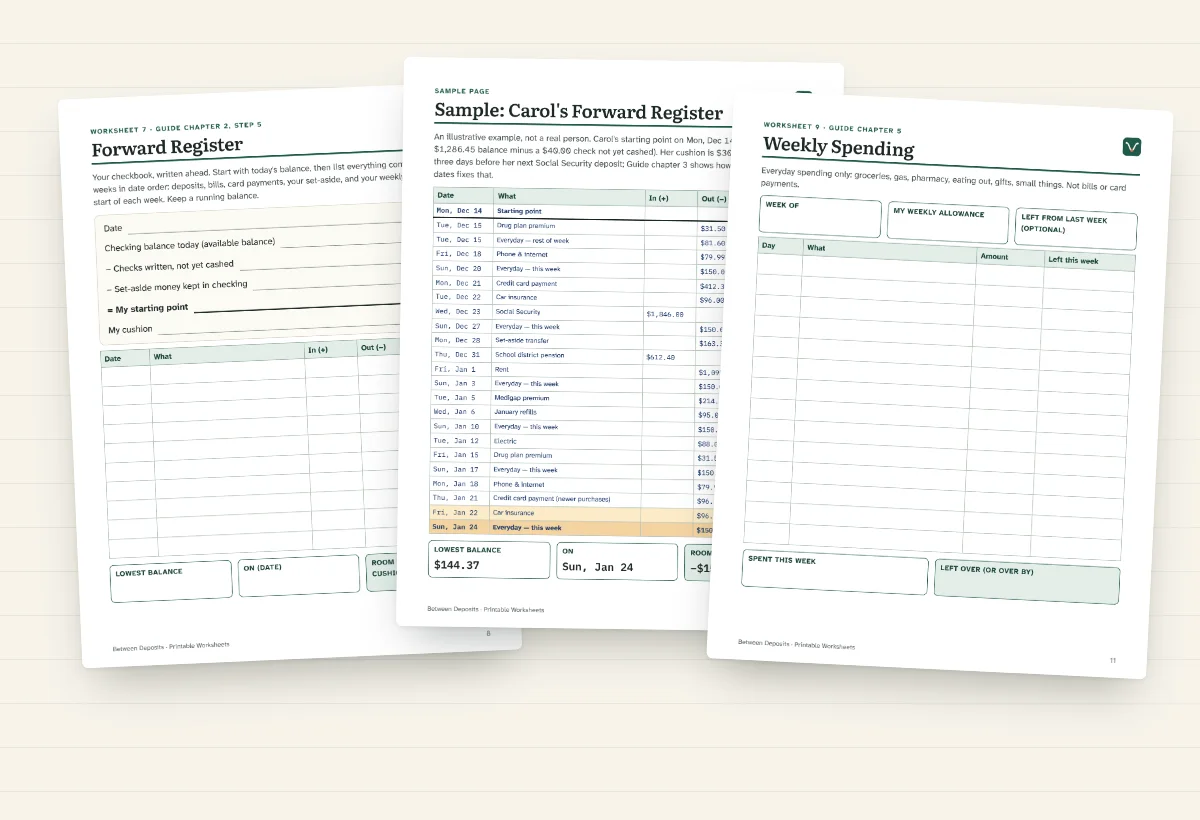
Printable Worksheets
The same method for pen and paper, with big writing spaces. Print as many as you like.
- Money Map, deposits, bills and the once-a-year checklist
- Forward Register and Month at a Glance
- Weekly spending, card tally, monthly check-in and "Can I afford it?"
- 2027 Social Security payment dates
Plus a two-page Start Here sheet that tells you exactly where to begin and what to do each week.
After the first sitting
Ten minutes a week keeps it true.
Update and read
- Type in today's balance
- Update card payments and anything new
- Read your lowest point and room to spare
Check in
- Move your set-aside money
- Three numbers, six questions
- One change for next month
The yearly update
- New Social Security amount
- New premiums and deductibles
- Renewals and tax notices
Everyday decisions
Questions it helps you answer
Will the rent clear if Social Security comes late in the month?
Your Forward Register shows your balance on the 1st, before the deposit arrives, so you'll know weeks ahead.
Why do I always feel short before my 4th-Wednesday deposit?
Four times a year there are five weeks between Wednesday deposits. The Guide shows how moving one or two due dates can fix it for good.
How much should I put aside for property tax?
Cost minus what's saved, divided by the months left. The Planner works it out, and tells you when you're catching up.
Can I afford new glasses this month?
Check your room to spare on and after the day you'd pay. If it fits, it fits, with no guessing.
Is it okay to put groceries on my credit card?
Yes. The kit counts each purchase once, on the day you buy. Nothing gets counted twice and nothing falls through the cracks.
Am I spending more than comes in?
Your average month shows it in one line, even when the next 60 days look fine.
Straight talk
What it is, and what it isn't
It is
- A budgeting kit that shows what your money will do, based on the numbers you give it
- Yours to keep, with no subscription and no account to sign into
- Private: no bank connection, no data collected
- Built for real life: weekends, holidays, five-week stretches, credit cards, once-a-year bills
It isn't
- Investment, tax or legal advice
- A way to decide how much to withdraw from savings, or whether savings will last
- A guarantee: its answers are estimates, as good as the numbers you enter
- An app that reads your bank account
Made for comfortable reading
The Guide is set in 13-point type, and the worksheets have generous writing space.
Atkinson Hyperlegible, from the Braille Institute, designed for low-vision readers.
No jargon to look up. Every term is explained, and there's a glossary.
US Letter, black and white is fine.
Price
One price. Yours to keep.
No subscription. No upsells. Instant download.
- The Planner spreadsheet, plus a filled-in example
- The 37-page Guide
- 17 pages of printable worksheets
- Start Here sheet
- Works in Excel, Google Sheets, Numbers, LibreOffice or on paper
What happens when you buy
Price set in U.S. dollars. Gumroad may show it in your local currency (you can switch back to US$) and adds sales tax or VAT where required. You see the total before you pay.
Questions
Before you buy
Do I need Excel?
No. The Planner also works in Google Sheets (free, in any web browser), Apple Numbers (free on Mac, iPad and iPhone) and LibreOffice (free). If you'd rather not use a computer at all, the printable worksheets cover the same method on paper.
Will it work on an iPad?
Yes. Open the Planner in Apple Numbers or the Google Sheets app, and read the Guide in Books or Files. You can print the worksheets from an iPad too.
I'm not a spreadsheet person. Is this for me?
Probably, yes. You only type into the cream-colored cells, and a filled-in example shows what goes where. Or skip the spreadsheet entirely and use the large-print worksheets with a pen and a calculator.
Does it connect to my bank?
No, and it never asks for a login. You type in your balance once a week. Your numbers stay on your own computer, tablet or paper (or in your own Google account if you choose Google Sheets).
Is it only for Social Security?
No. It works for any income that arrives on predictable dates: pensions, annuities, part-time pay, regular transfers from savings. The Social Security payment calendar is specific to the U.S., and amounts are shown in dollars.
Will it tell me how much I can take out of my savings or IRA?
No. That depends on your investments, taxes and how long the money needs to last, which is a job for a fee-only planner. If you take a regular amount from savings, you enter the amount you've already decided on, and the kit shows how it fits with your bills. The Guide lists free and unbiased places to get help with the bigger question.
Is this financial advice?
No. It's a budgeting kit. It shows what your money will do based on the numbers you give it, and its results are estimates. It doesn't give investment, tax or legal advice.
Can I buy it for a parent?
Yes. Gumroad's checkout has a gift option, or you can buy it yourself and set it up together. Google Sheets makes it easy to look at the Planner with a family member, with their permission. The license covers one household.
How do I get the files?
Right after you pay, Gumroad shows a download page and emails you a receipt with a link to your files. They stay available through that link, and in your Gumroad library if you create an account. If the files are ever updated, the new versions are there too.
What if it's not for me?
Ask for a refund within 30 days: reply to your Gumroad receipt, or use the contact option on your purchase page. You don't need to give a reason.